
From product idea to maintained content
View product data, copy ASINs and tag them manually.
Tasks, Healthcheck, replacement search and campaign runs.
How to use it
- Compare a product on its product page and add it to Backlog if useful.
- Plan filming in Tasks. Review ASINs in the editor and add suitable tags before saving deliberately.
- Read your content through Data and use Healthcheck to find links that need attention.
- Review missing parents individually. Use Campaigns or a schedule if you have the relevant Amazon access.
1. Find a suitable product idea
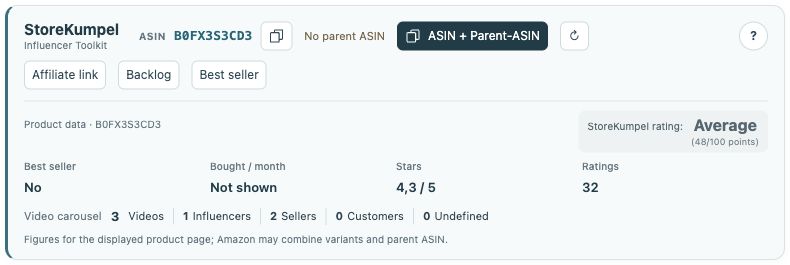
Pro feature Compare search results and open interesting products. Check the specific variation, availability and visible product information. With Pro, collect suitable ideas in Backlog. A good score helps prioritize; it does not oblige you to feature that product.
 12
- Identifiers, copy buttons and additional tools.
- Product information and score at a glance.
2. Prepare filming and tags With Pro
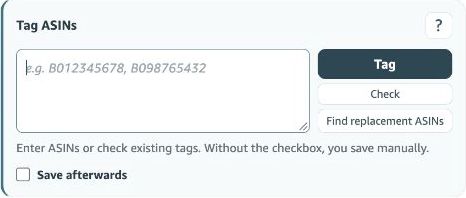
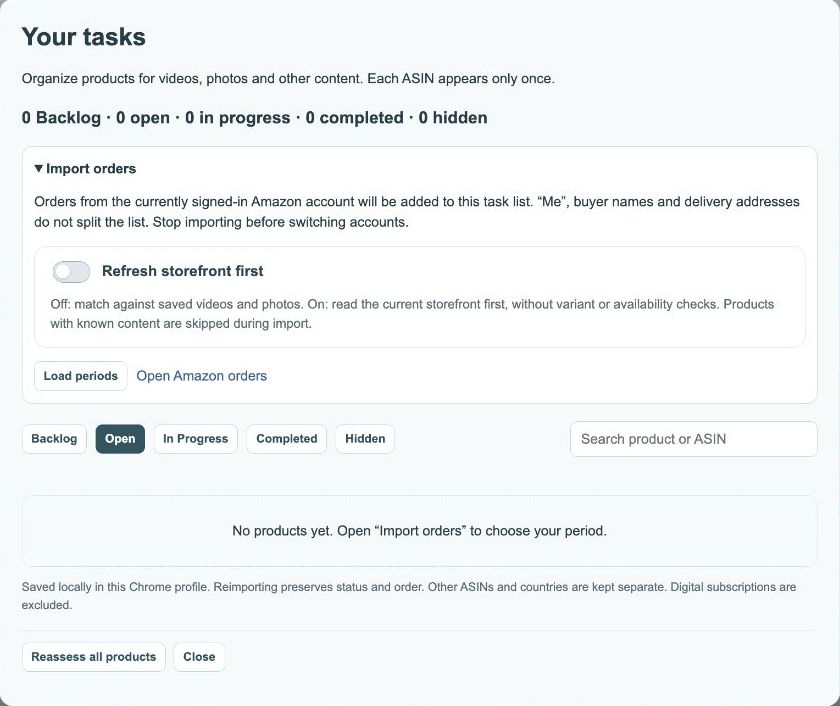
Plan your work in Tasks. When the post is ready, open the editor and review existing products. Check and replacement search can help prepare the input. Only Tag adds new identifiers; then check the save option and ten-tag limit.
3. Maintain published content With Pro
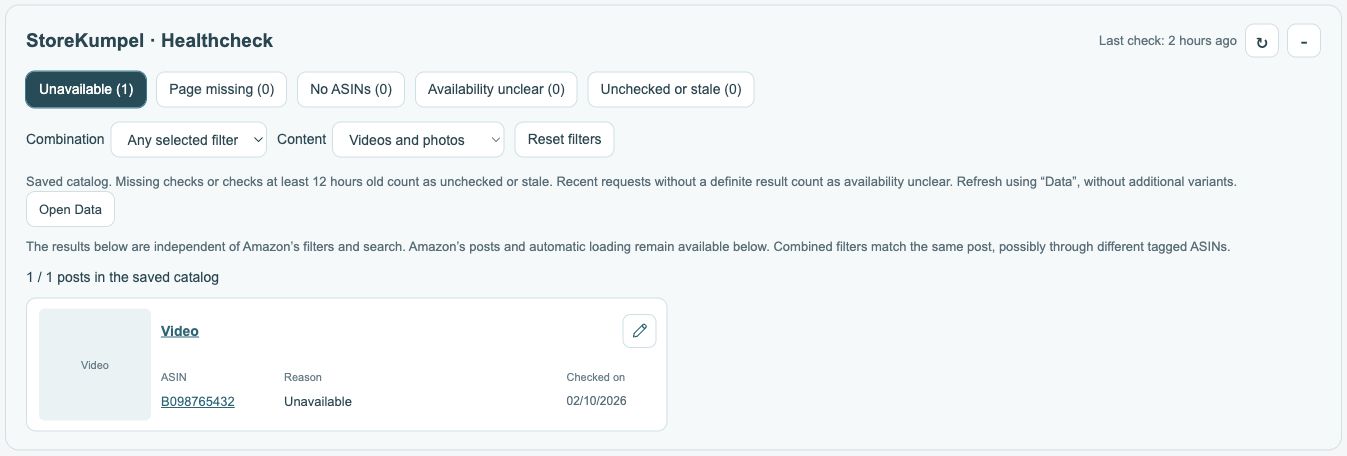
Use Data and Healthcheck to find posts that need review. Inspect individual results before changing tags. Add suitable parents deliberately. If your Amazon account is eligible, you can then check campaigns and submit appropriate existing video links.
4. Build a routine With Pro
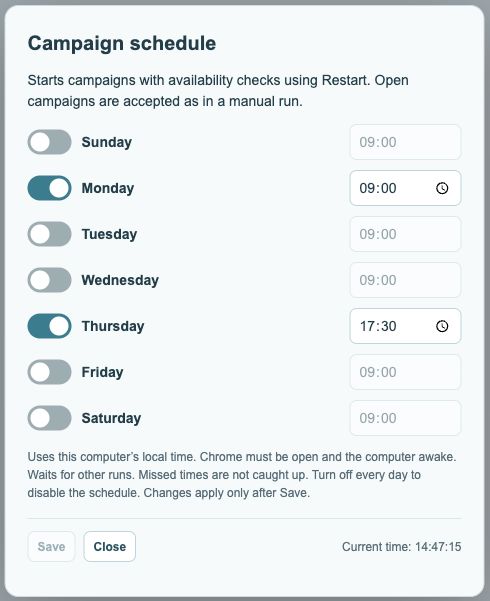
Choose a rhythm that fits your work. A campaign schedule supports recurring runs but needs a ready computer and the correct access. Back up your work before changing devices and record the exact steps if a problem occurs. This keeps maintenance manageable.
 123
- Enable days and choose a time for each day.
- Save applies your changes.
- Current local time for reference.