
Understand availability
How to use it
- Available or Orderable indicates an ordering option. Check delivery conditions directly with Amazon.
- Unavailable, Page missing and Unknown mean different things. Read the related notice before changing a post.
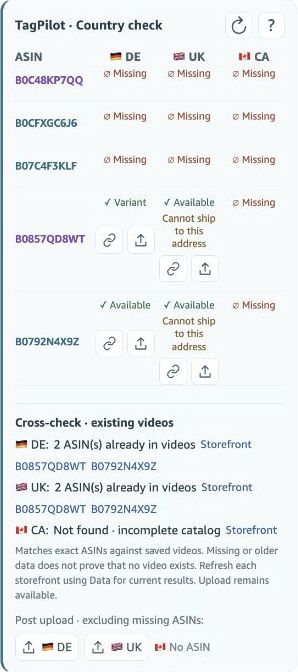
- Listed with a delivery notice may mean Amazon does not ship to your selected address.
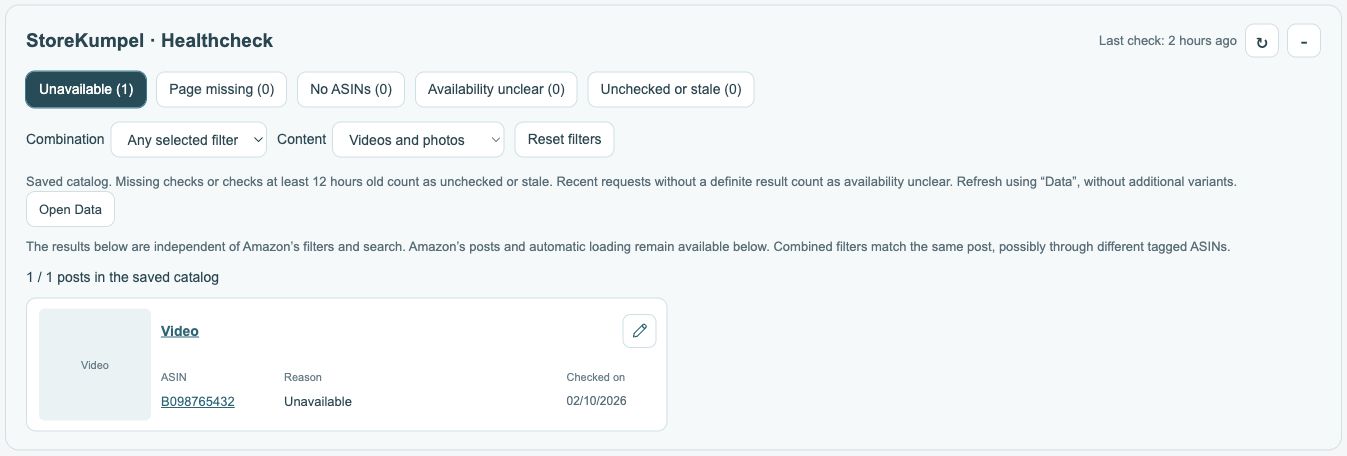
What should I do for each status?
For Available, check the specific delivery option on Amazon. For Unavailable, see whether the issue is temporary or whether a suitable variation exists. For Page missing, check the identifier before looking for a replacement. For Unknown, retry the check rather than immediately deleting the tag.
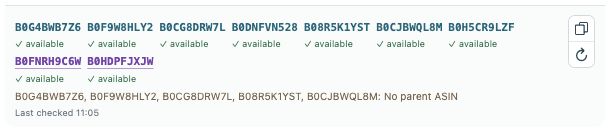 12
- Tagged ASINs and availability; parents are purple.
- Copy identifiers or check products again.
Why can Listed appear despite a delivery restriction?
The product page exists, but Amazon may not deliver to the selected address. This distinction is especially important in the country check. Separate a product’s existence from whether it ships to you. Do not change tags solely because of a foreign delivery address.
How current is the result?
The status relates to the displayed check time. Product pages, offers and delivery conditions can change. Open the product page or refresh the ASIN before editing a post because of its status. A parent notice about available variations does not replace checking the variation shown in your video.