
Check products in other marketplaces
You need StoreKumpel Pro to use this feature.
How to use it
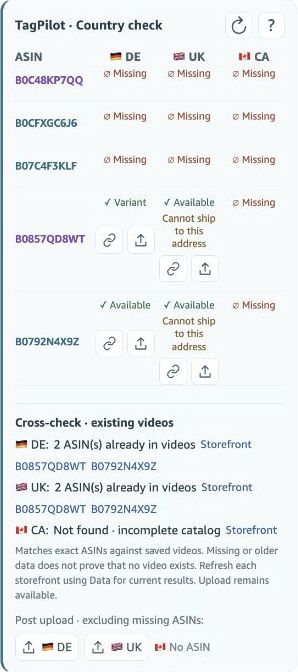
- Open the country check and compare the displayed marketplaces.
- Available, Listed, Missing and Unknown offer initial guidance. Open the product in the target marketplace for details.
- Use an available upload link to prepare a suitable post in the target marketplace. Review the tags again there.
Which ASINs are compared?
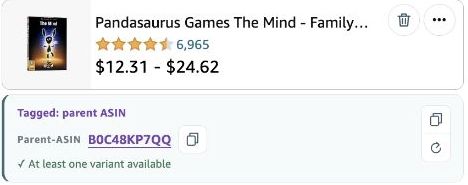
The country check concerns ASINs actually tagged in the post. Known related parents are not automatically additional tags. Review the original post’s product list before switching marketplaces. A similar product name in another marketplace does not replace checking the correct identifier.
How are Missing and Unavailable different?
Missing indicates a missing product page; Unavailable describes a recognized product without a confirmed ordering option. Listed may be accompanied by a delivery restriction. Unknown or an ongoing check remains inconclusive. Open the product in the target marketplace if this distinction matters for your upload.
What does the upload link do?
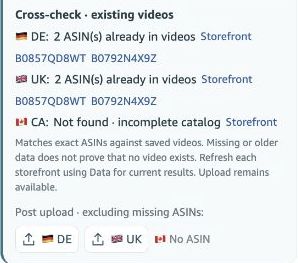
It helps prepare a post in the target marketplace. It does not publish automatically. Check language, content, products and all tags there before saving or submitting. The cross-check below is additional guidance about existing videos, not a guarantee against duplicate content.