
Use the additional US Creator Hub view
View scores and the product table under Details.
Use additional information about your carousel presence and campaigns.
How to use it
- In your US account, open Creator Hub, then Manage. This additional Amazon view is not available in every marketplace.
- For recognized video posts, StoreKumpel adds the score and Edit, Refresh and Details controls to the row.
- Open Details. Read the product table as you would in Manage content; additional Pro columns depend on your access.
 12
- Additional StoreKumpel score in the US Creator Hub.
- Details opens the product table.
Is this another storefront?
No. Creator Hub is an additional Amazon view for your US account. You work with recognized videos from that account. StoreKumpel enhances the rows; it does not create another publication or replace Amazon’s performance reports.
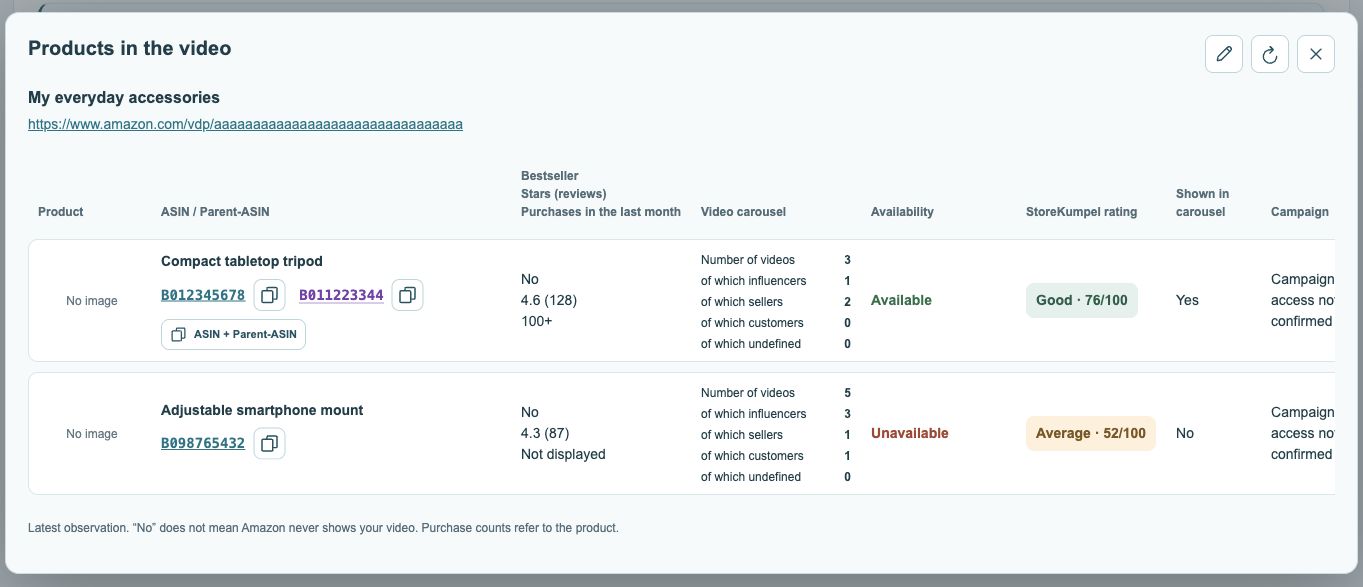 123
- Post title and link.
- Open or copy ASINs; parents are purple.
- Displayed videos by source.
How do I open and read Details?
Use Details in the desired video row. Check the post title first to make sure you are viewing the correct video. The table then shows its products. On a narrow screen, scroll right to see more columns and refresh controls.
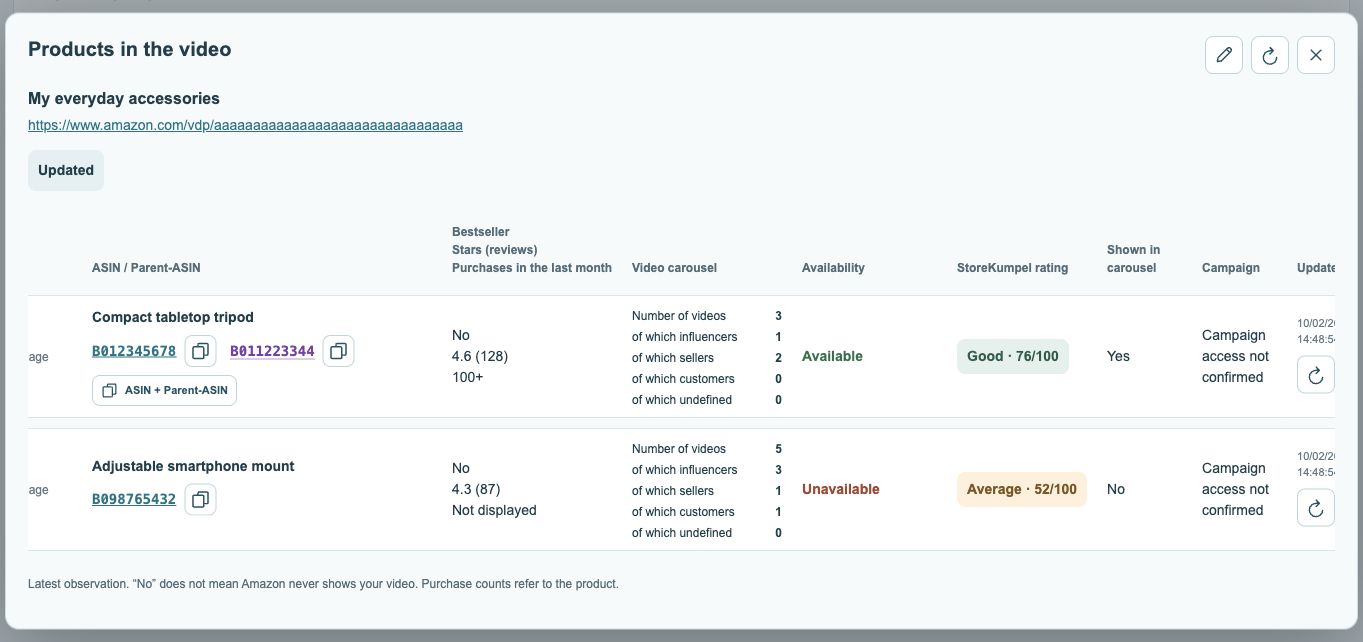 123
- Current availability status.
- Campaign status, where available.
- Check time and refresh.
Why might some actions be missing?
Pro feature The interface and access can vary by Amazon account. StoreKumpel needs to recognize the post. Additional Pro information requires Pro and, where applicable, Amazon program eligibility. If the enhancement is missing here, inspect the same post through Manage content or your own storefront.