
Manage content: review your posts
Use the content overview, scores and product table under Details.
Use Healthcheck and additional Pro information in Details.
How to use it
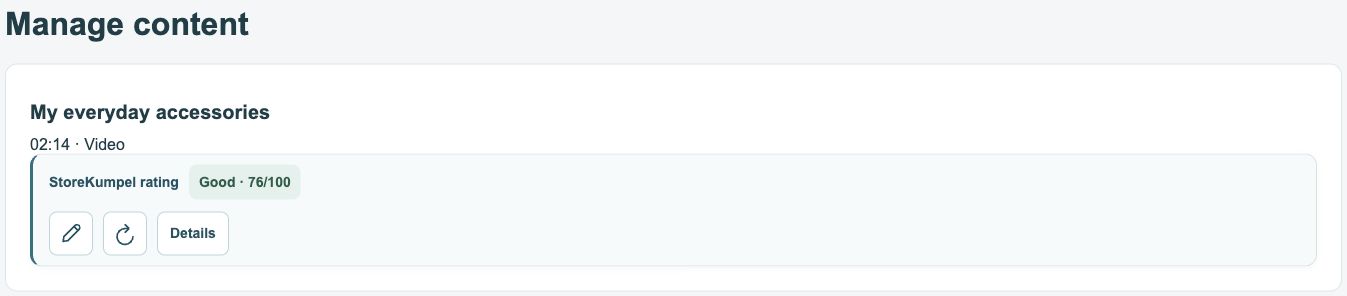
- Open Manage content in your Amazon account. StoreKumpel adds a score and extra controls to recognized posts you own.
- The pencil opens the editor. The circular arrow refreshes the post’s information.
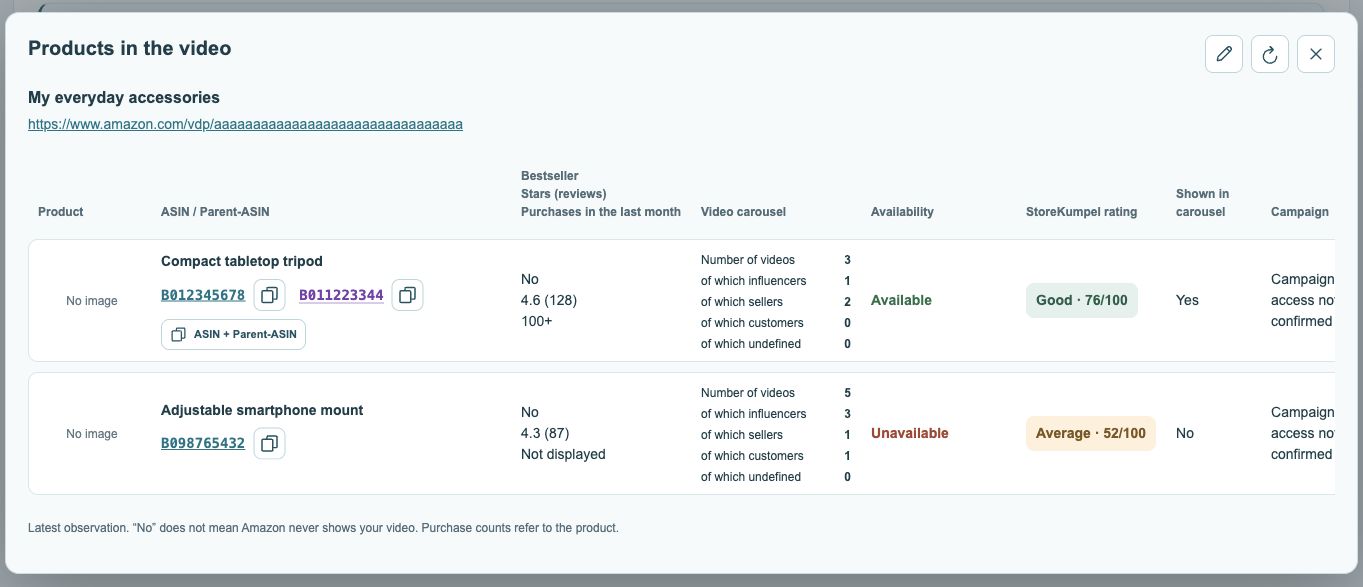
- Click Details to compare the linked products in a table.
 12
- Post score based on its products.
- Edit, refresh or open Details.
Content types
The details overview can describe videos, photos and collages. Parent tagging in the Data window applies only to videos and photos.
What does StoreKumpel add here?
StoreKumpel adds product scores and tools for recognized posts you own. Amazon’s own information about your post remains separate. The StoreKumpel score concerns the associated products, not your recording quality, editing or the message of your video.
 123
- Post title and link.
- Open or copy ASINs; parents are purple.
- Displayed videos by source.
How do I review a post step by step?
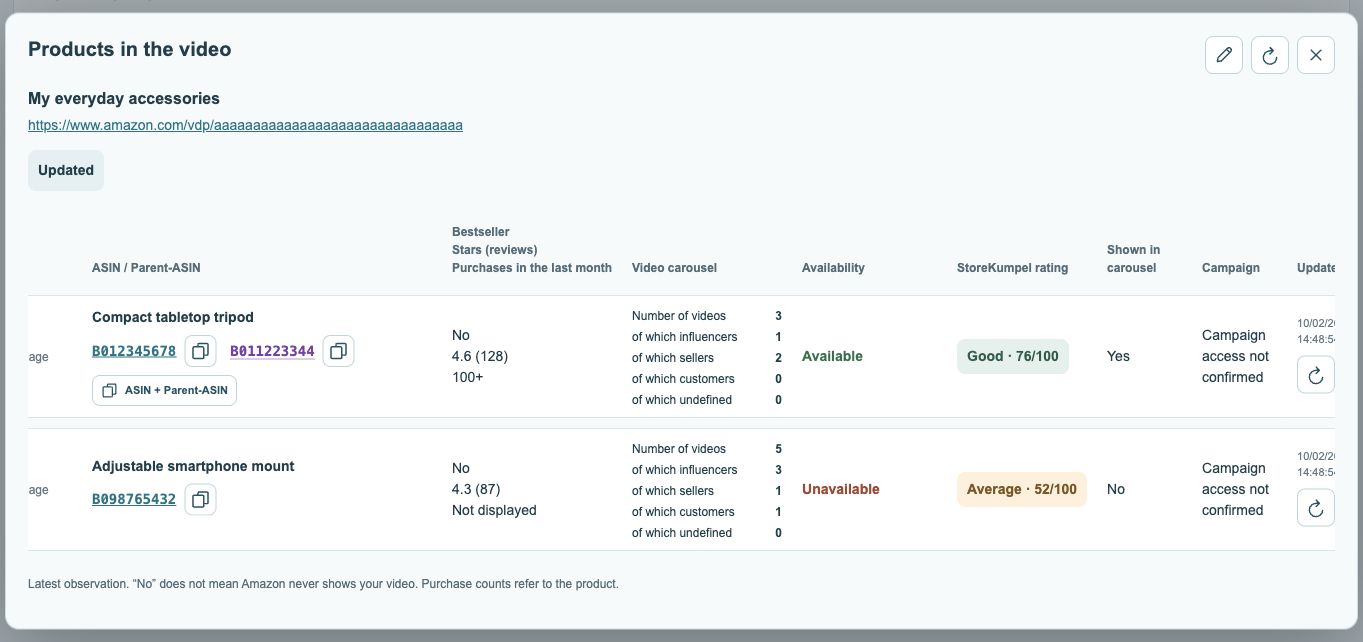
Find the post and open Details. Compare product names and ASINs first, followed by availability and other information. Use the pencil only if editing is needed. Viewing Details or refreshing a product row does not change saved tags.
 123
- Current availability status.
- Campaign status, where available.
- Check time and refresh.
What if details are missing?
Pro feature Check that you are signed in to the correct Amazon account and marketplace and that StoreKumpel recognizes the post as yours. With Pro, collect the content again through Data. An empty or incomplete Details view does not prove that a post has no tags. Check the current product list in Amazon’s editor.