
Read the Details product table
View product data, tagged ASINs and additional parent information.
Check your video’s carousel presence and campaign status.
How to use it
- Open Details on a post. Its title and a link to the content appear at the top.
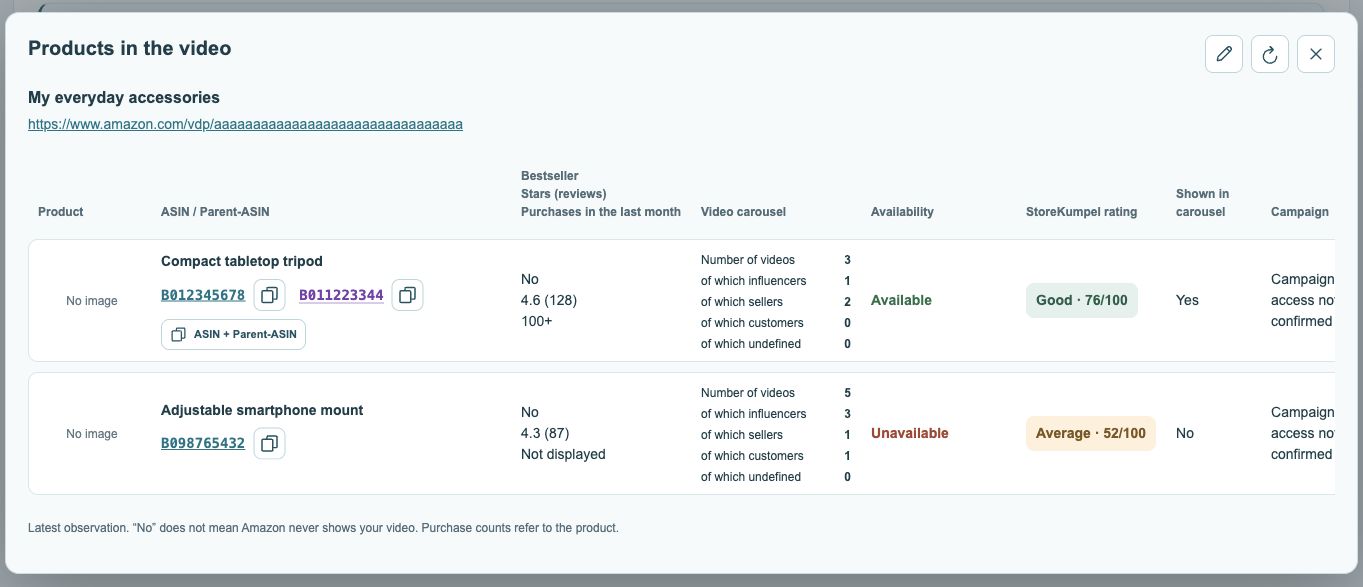
- Compare the rows: product, ASIN/parent ASIN, bestseller, stars, monthly purchases, video carousel, availability and StoreKumpel score.
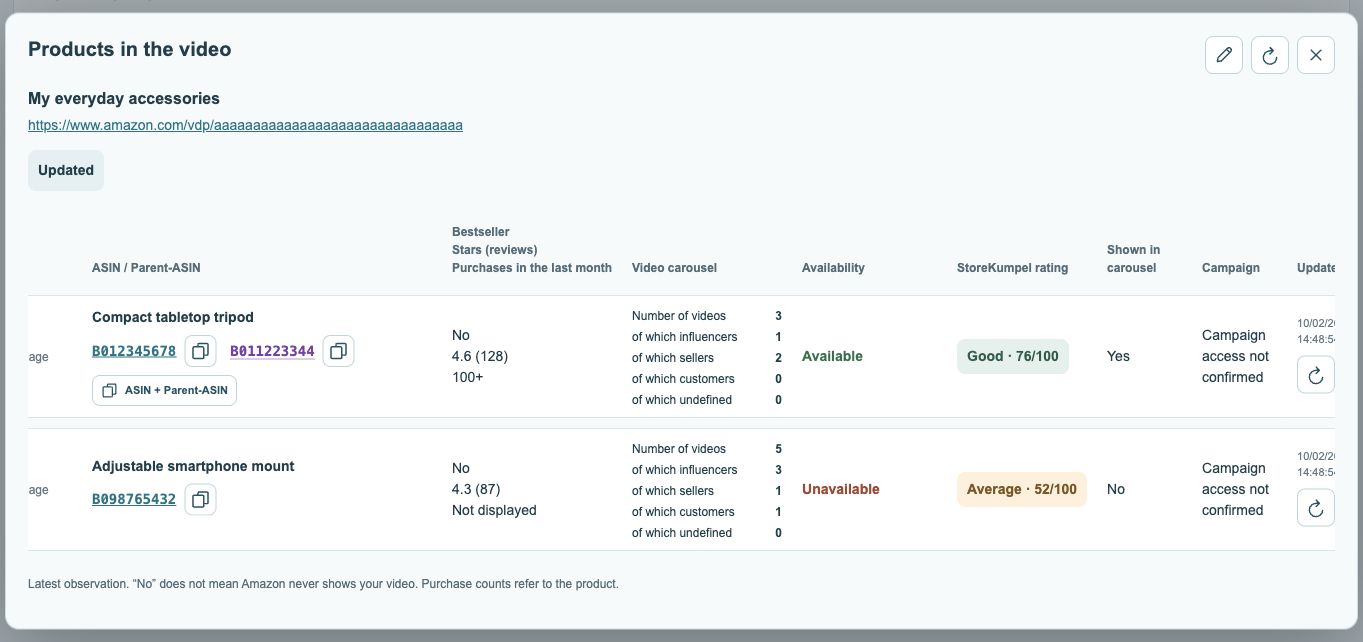
- Scroll horizontally in narrow windows. Use a row’s refresh button to update that product, or refresh all ASINs at the top.
- Use copy icons or product links. The pencil at the top opens the post for editing.
 123
- Post title and link.
- Open or copy ASINs; parents are purple.
- Displayed videos by source.
 123
- Current availability status.
- Campaign status, where available.
- Check time and refresh.
Shown in carousel Pro feature
Yes means your video was recognized there during the check. No does not mean Amazon never shows it. Not determined remains inconclusive.
Parent rows
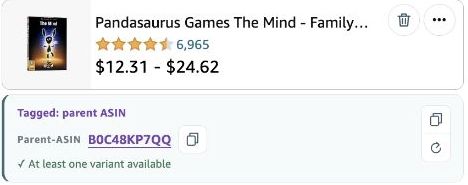
Some product values may be blank for a parent ASIN. Read the values for the specific product variation.
Is every purple parent ASIN a separate tag?
No. A parent ASIN beside a specific product ASIN in the same row is additional information about that product. Only a parent that was explicitly tagged belongs to the post’s tags itself and may have its own row. Do not count every visible identifier as an additional tag.
 12
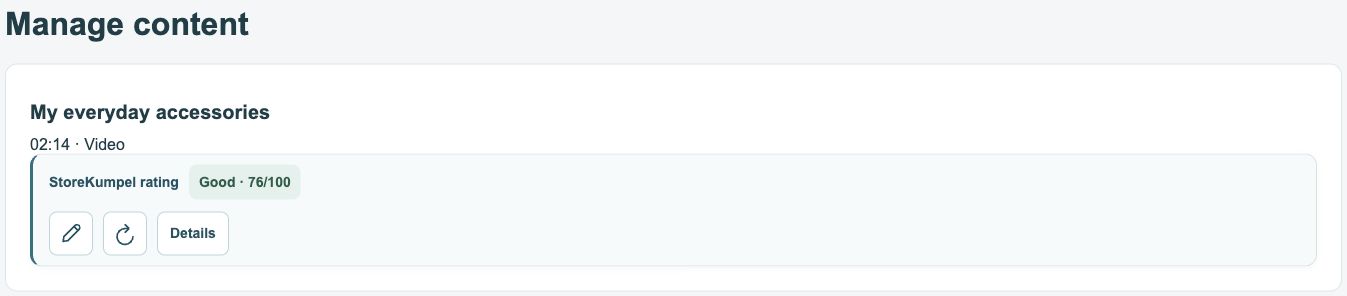
- Post score based on its products.
- Edit, refresh or open Details.
What do the video columns tell me?
The count describes the product videos detected during the check. The breakdown into influencers, sellers, customers and undefined sources helps explain the mix. The own-video carousel indicator relates to that specific video at the observed time, not a guaranteed permanent placement.
Why are some fields empty?
Not every product page supplies every detail. Parent ASINs in particular may lack values that belong to a specific variation. An empty field or Not determined is not zero. Use the product link and, if needed, refresh the row before relying on a value for a decision.
How do I use this on a small screen?
The table can be wider than the window. Scroll horizontally within it to see additional columns and the check time. The two illustrations show different parts of the same table. Enlarge an image if a label is too small to read.