
Read product information and scores
How to use it
- Distinguish Amazon stars from the StoreKumpel score. Stars come from customer reviews; StoreKumpel offers guidance on a product’s video potential.
- Read the grade and points together with purchases, availability and videos.
- Look for Not displayed, Not determined and the check time. Refresh when information is missing.
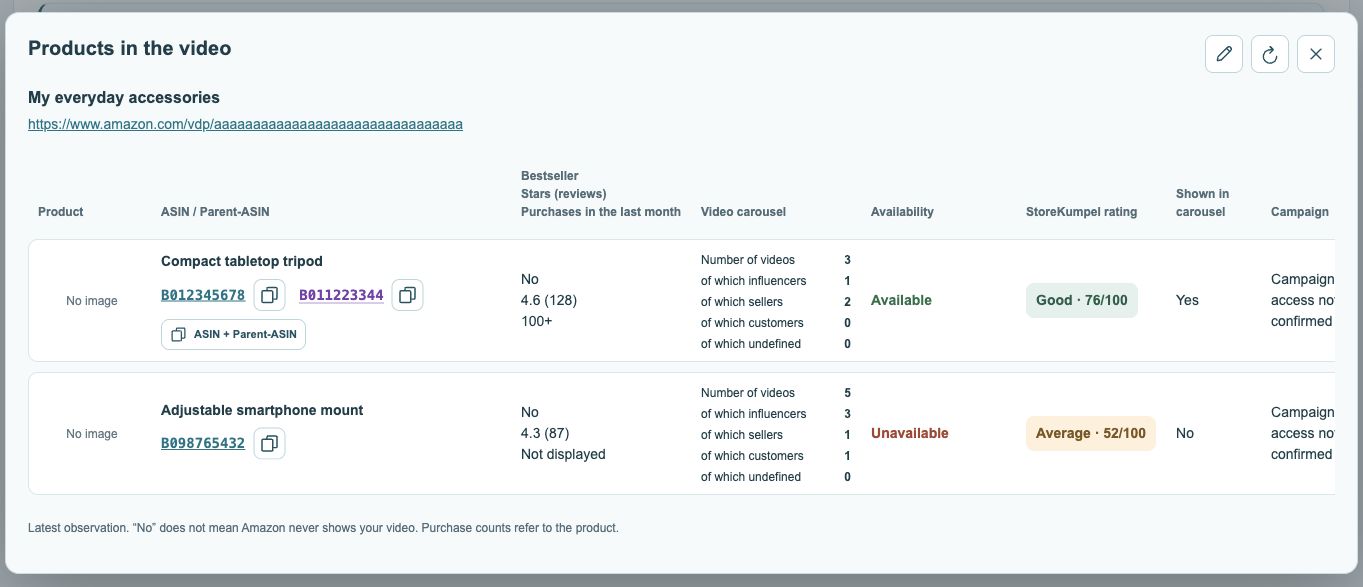
Videos by creator type
Influencer, Seller, Customer and Undefined describe the displayed video types. In the US, upper and lower carousels may appear separately.
StoreKumpel score or customer stars?
Amazon stars summarize customer reviews. The StoreKumpel score guides product selection for content. A highly rated product can therefore have a different StoreKumpel grade. Read the labels rather than comparing the two numbers directly.
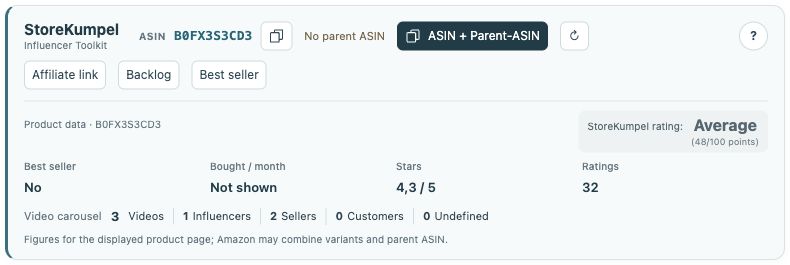 12
- Identifiers, copy buttons and additional tools.
- Product information and score at a glance.
How should I handle missing values?
Not displayed means the information is unavailable. Not determined indicates an unresolved result. Neither means zero. Refresh the product and open its page if needed. Do not base a decision solely on missing information or an incomplete post score.
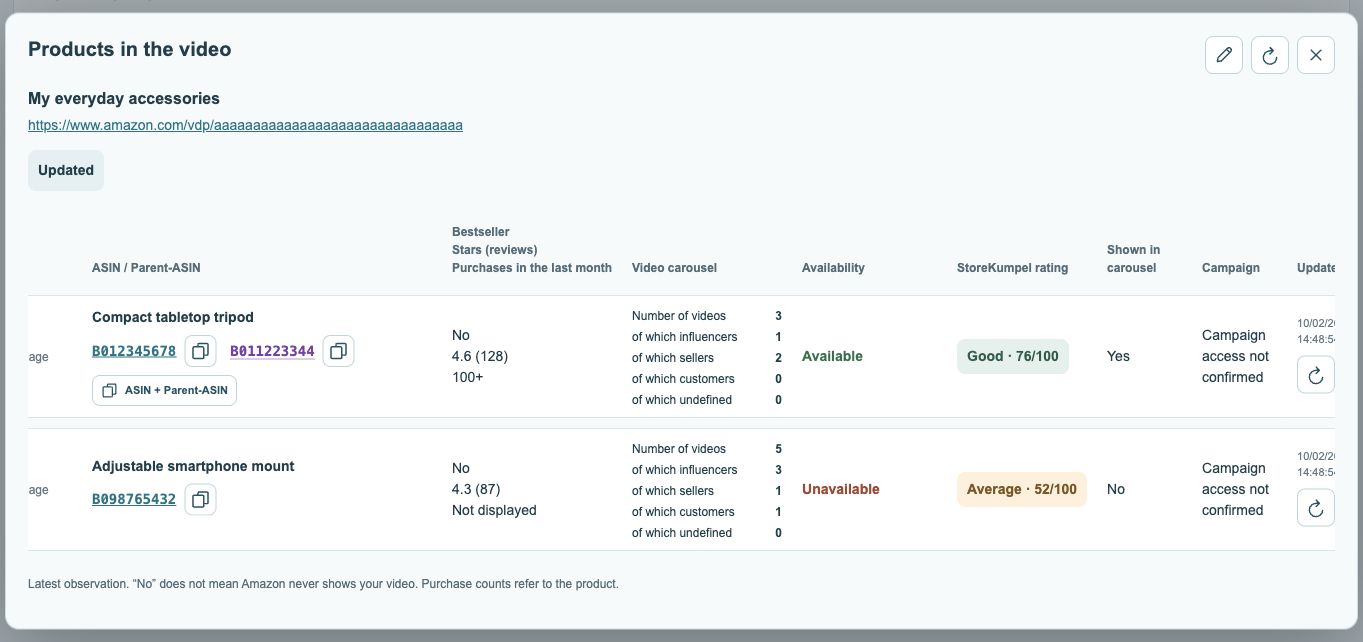 123
- Current availability status.
- Campaign status, where available.
- Check time and refresh.
How can I use the score in practice?
Use it to prioritize interesting products for closer review. Also compare product fit, availability and displayed videos. A good grade promises neither sales nor a particular placement for your video. For posts with several products, only part of the product selection may be possible to score.