
Read Amazon search result displays
Compare product data, video counts and ASINs.
Save products for later and search for campaigns.
How to use it
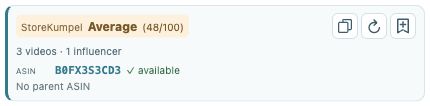
- Search for a product on Amazon. StoreKumpel adds ASIN and product information to supported product cards.
- Compare the displayed information and open interesting products for the full product view. Not every card provides the same information.
- Pro feature Copy an ASIN using the copy icon. With Pro, use Backlog to save an interesting product for later.
 12
- Compare the score and displayed videos.
- Copy identifiers, refresh or add to Backlog.
How should I compare results?
Start with the product name and variation before comparing scores. Use the added identifiers and product data as guidance. Open promising results individually for the full product view. Similar product cards do not necessarily represent the same ASIN.
 12
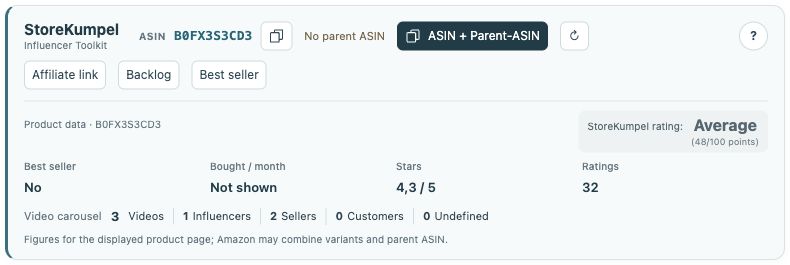
- Identifiers, copy buttons and additional tools.
- Product information and score at a glance.
Why is information missing on some cards?
Amazon uses different card types and layouts, and not every card contains the same information. Wait for the check, then open the product page if details are missing. An empty value is not zero and does not prove a product is unsuitable.
How do I save a product for later?
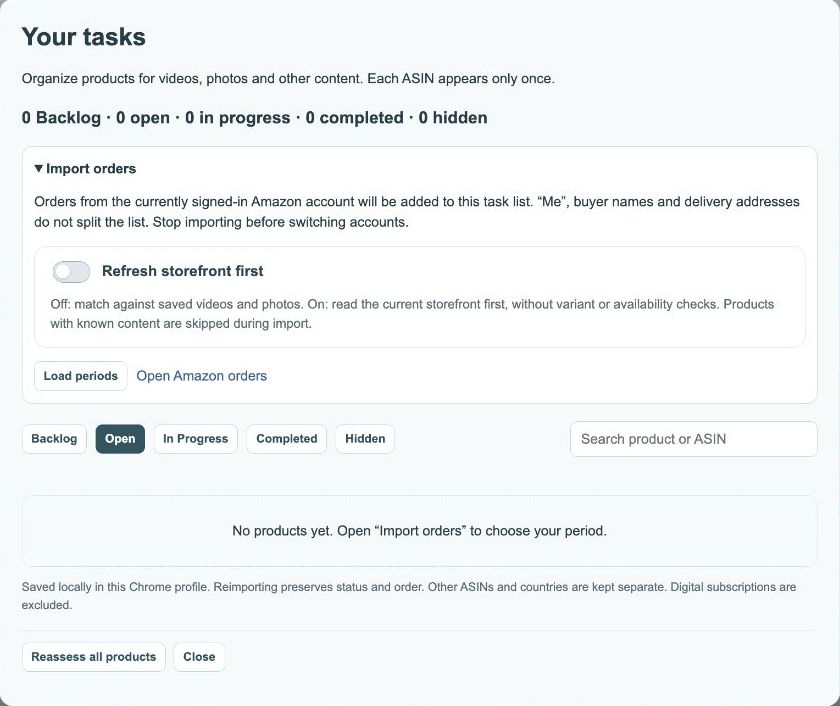
Pro feature With Pro, use Backlog on a supported card or the product page. Then open Tasks and verify the product and ASIN. Saving an idea is planning: it does not order a product, create a post or tag anything automatically.