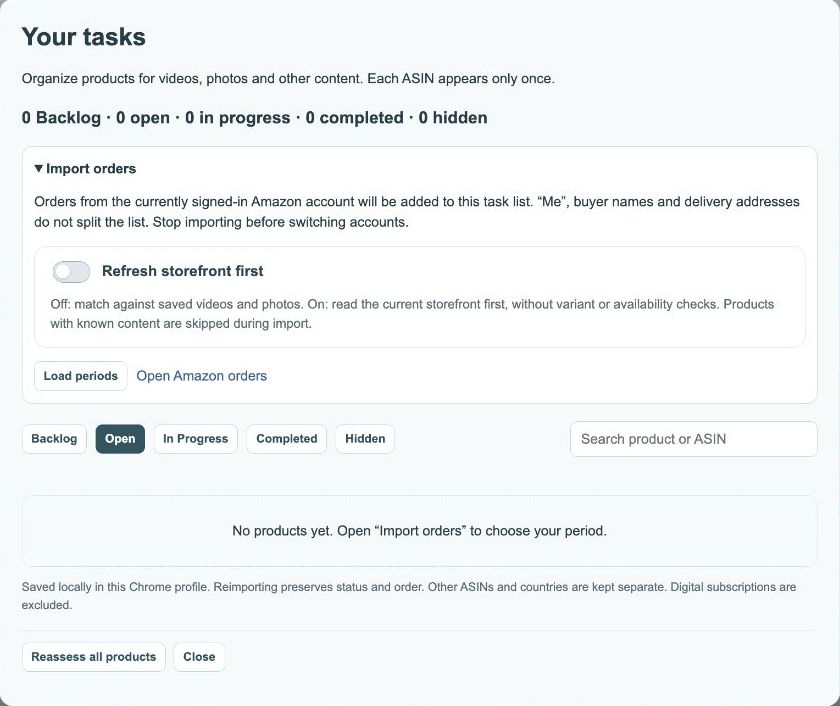
Use StoreKumpel on product pages
View product data, scores and ASINs, and copy ASINs.
Save products to your backlog and check campaigns.
How to use it
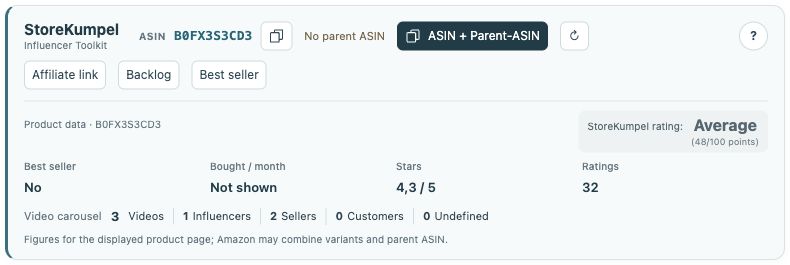
- The StoreKumpel panel shows the ASIN and, when identified, its parent ASIN. Copy buttons copy individual identifiers or both together.
- Read stars, reviews, displayed monthly purchases and the video carousel alongside the StoreKumpel score.
- Pro feature Refresh if needed. Affiliate link opens the link tool, Bestseller the relevant bestseller list, and Backlog adds the product to your planning with Pro.
 12
- Identifiers, copy buttons and additional tools.
- Product information and score at a glance.
How should I read the overview?
Start with the ASIN and selected variation. Then review availability, stars, reviews and displayed video information. The StoreKumpel score provides guidance; it does not replace checking the product and your audience. Missing monthly purchase figures do not mean there were no sales.
 12
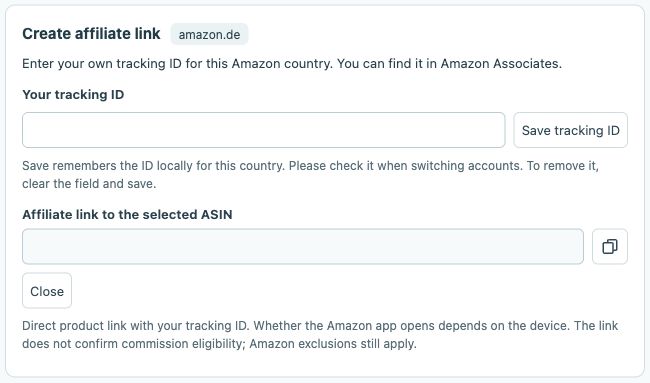
- Enter your own tracking ID for this marketplace.
- Your affiliate link for the selected ASIN appears here.
Why do details change when I select another variation?
Amazon may display some details jointly for several variations. After changing colour or size, check the identifier and any notices again. For a useful comparison, compare products in the same marketplace with similarly recent checks.
 12
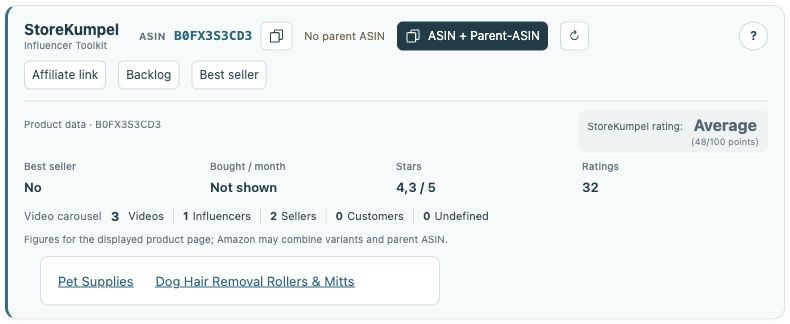
- Best seller opens the category menu.
- Choose the relevant Amazon bestseller list.
What can I do next?
Pro feature Use a copy icon to copy an identifier. Affiliate link helps create your own Amazon affiliate link, while Bestseller opens categories. With Pro, save the product to Backlog and plan it later in Tasks. None of these actions publishes a video automatically.