
Use the data run
You need StoreKumpel Pro to use this feature.
How to use it
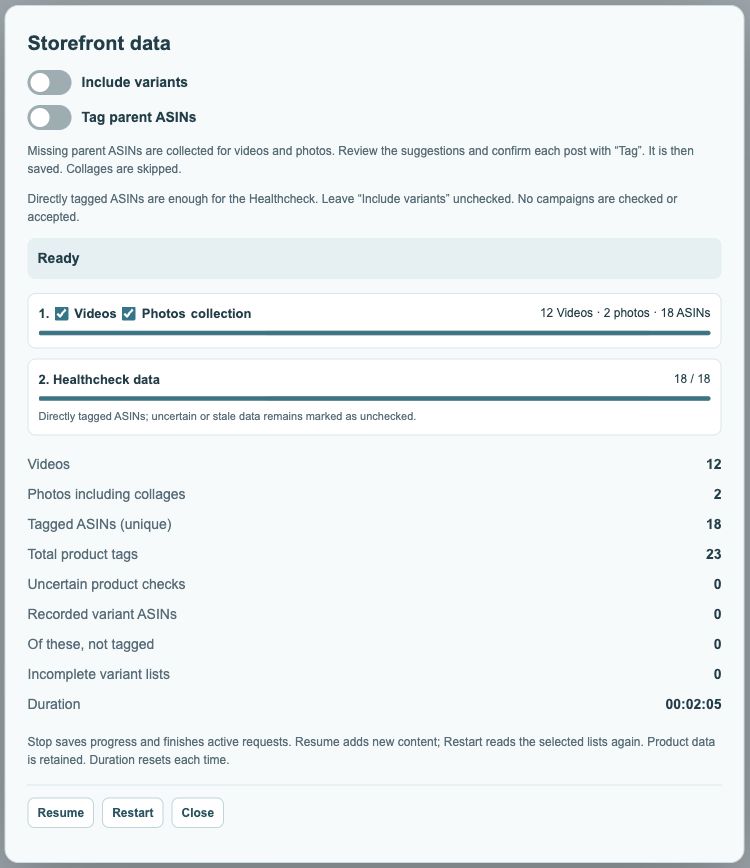
- Open Data and select videos and/or photos. The normal run without extra variants is sufficient for Healthcheck.
- Enable Include variants only when you need additional variations. Tag parent ASINs shows the suggestion table for individual confirmation.
- Use Start, Resume or Restart, depending on the displayed state. Follow content collection and Healthcheck in the first two progress bars.
- Use Stop to interrupt the run, then wait for active checks to finish.
 123
- Include variations if needed.
- Enable parent suggestions with this switch.
- Bars show progress for the selected steps.
Optional sections
The variants progress bar appears only when variant search is enabled; the parent table only when the parent switch is enabled.
Incomplete content list
Read the completion notice. If Amazon did not provide all content, try Resume again.
What should I select for my first run?
Choose the content types you want to check. If you initially only want to find problematic tags, start without extra variations. This keeps the workflow easier to follow. You can enable the parent table when needed; its suggestions require individual confirmation later.
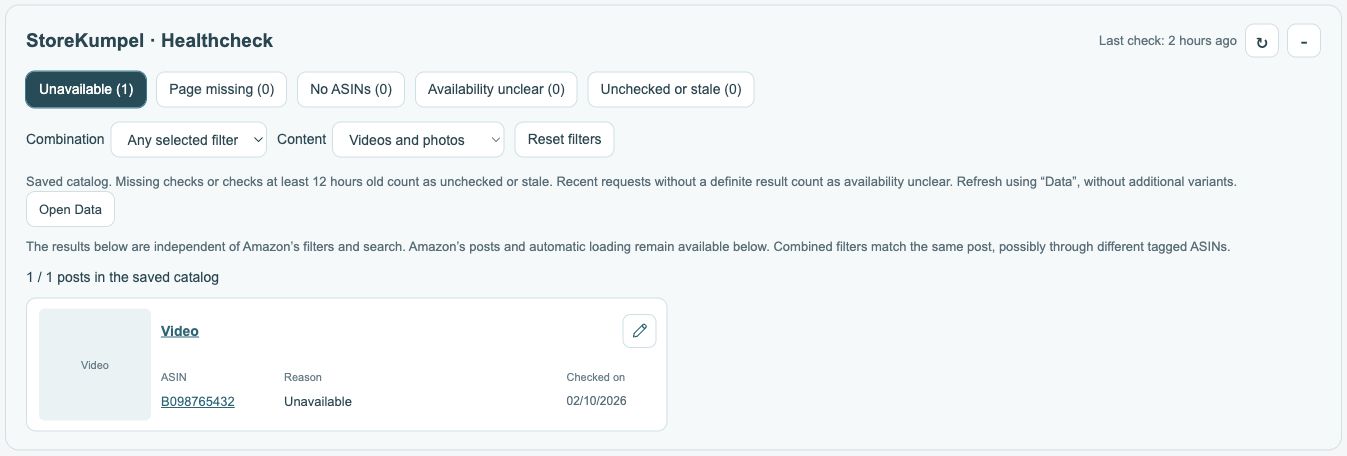
Does a full progress bar mean everything is complete?
Also read the completion message. A bar may have processed the entire currently known list even though Amazon only provided part of your content list. The incomplete-list notice still matters in that case. Check the reported content types and counts as well as the visual progress bar.
 123
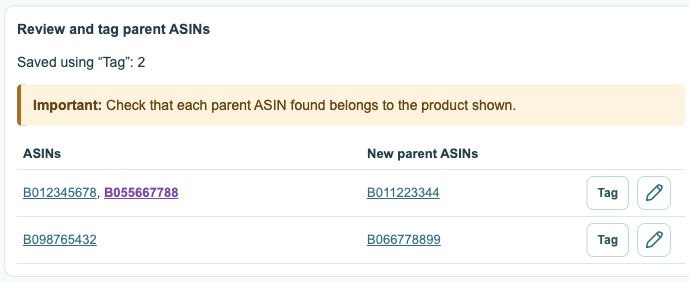
- Existing tags; recognized parents are purple.
- Review new parent suggestions first.
- Tag confirms and saves; the pencil opens the editor.
How do I stop correctly?
Use Stop in the Data dialog. Wait for active checks to finish before reloading Chrome or the extension. Closing a dialog and stopping processing are not the same action. When you reopen the dialog, the available actions show whether an existing run can be resumed.
What should I do after the run?
Open Healthcheck and review flagged posts. Wait for all active runs to finish before working on parent suggestions. The data run itself does not change Amazon tags. A separate click on Tag in the parent table does save that particular post.