
Find and use replacement ASINs
You need StoreKumpel Pro to use this feature.
How to use it
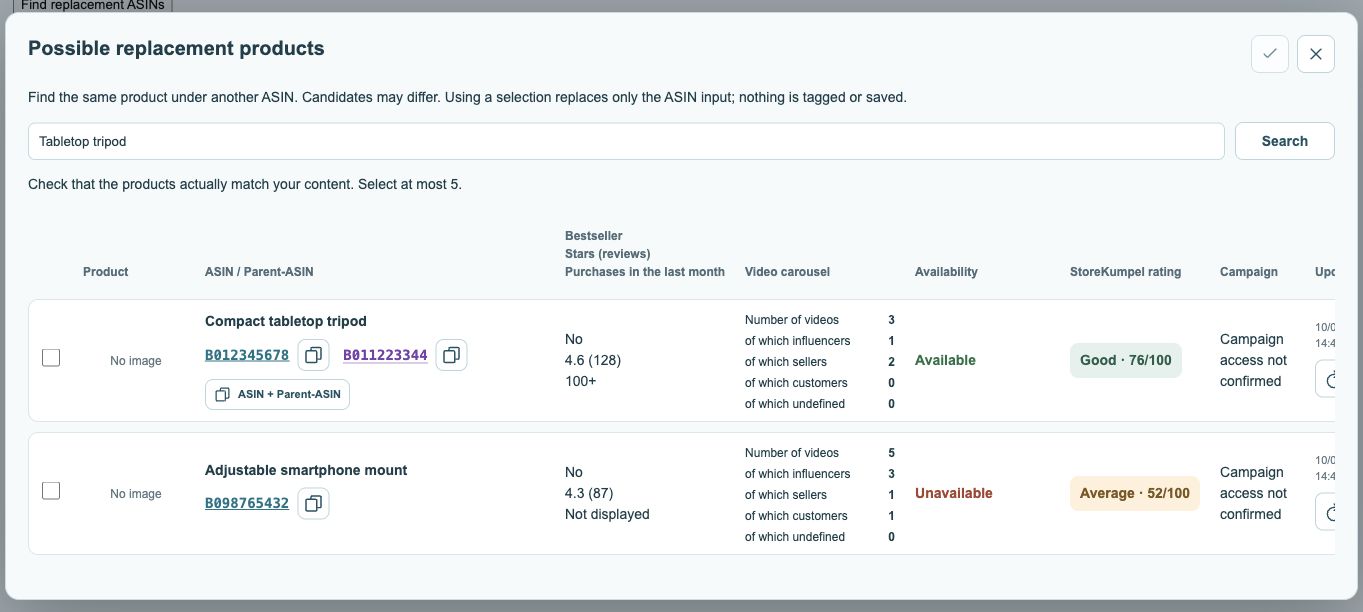
- Open the post in the editor and click Find replacement ASINs. Enter a brand, model or product name and use Search or Enter.
- Check results using the image, title and product link. Also compare availability, product information and score.
- Select at most five matching products. ASINs already tagged in this post are excluded from results.
- Click Use selection to place your selection in the ASIN input field. Review it there before using Tag and, if appropriate, Save.
 123
- Adjust search terms and search.
- Select suitable suggestions.
- Apply your selection; this does not save tags yet.
How do I find the right replacement?
Start with the brand and exact model name. Add size, colour or version if the results are too broad. Do not rely on the picture alone: the included items and product specification must also match what appears in your content. Open a candidate on Amazon before selecting it.
What do the columns mean?
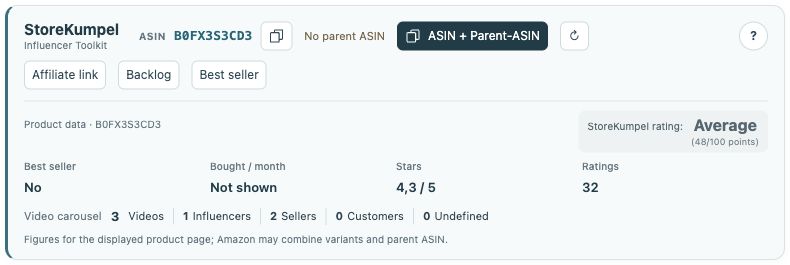
The ASIN and parent ASIN help identify the product. Stars and reviews reflect customer feedback; the StoreKumpel score is separate guidance. Availability, videos and, where available, campaigns provide additional context. A high score does not prove that a result is the right replacement.
 12
- Identifiers, copy buttons and additional tools.
- Product information and score at a glance.
Why is a familiar product missing?
ASINs already tagged in the current post are excluded from replacement results. Empty results may also mean that the search terms are too narrow. Try the product name without the colour or a shorter model name. Do not choose an unsuitable product just to fill the list.
How do I add my selection to the post?
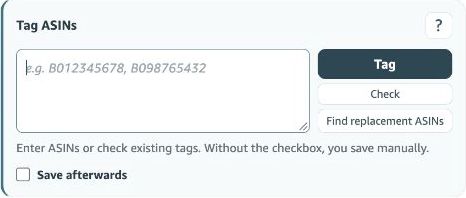
Use selection places the selected ASINs in the input field, replacing its previous contents. Review the field, then click Tag and check the product list in the editor. Searching does not delete existing tags. If Save afterwards is off, you still need to save the post yourself in Amazon.