
Tag ASINs in the editor
Tag entered ASINs and use the save option.
Prepare suggestions with Check and find replacement ASINs.
How to use it
- Enter the ASINs you want, separated by commas.
- Click Tag, then review the product tags in the editor. At most ten distinct tags are allowed.
- If Save afterwards is off, save the post yourself through Amazon. Enable it only when you want the post saved afterwards.
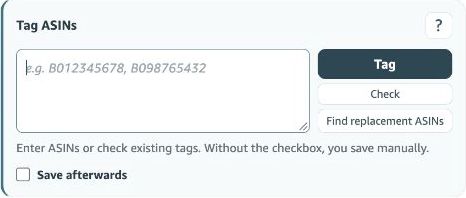
Existing tags and new input
The input field contains identifiers you want to add. It does not automatically replace the product list already in Amazon’s editor. Check both the input and the visible product cards. Removing an ASIN from the input does not remove an existing product tag.
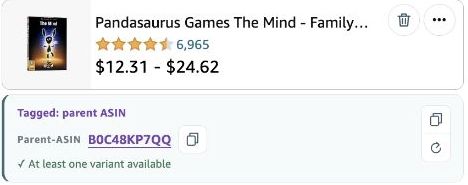
What should I check before saving?
Check the product name, variation and number of unique tags. Up to ten tags are allowed. An explicitly tagged parent ASIN counts too. A parent shown only as additional information beside a product is not a separate tag.
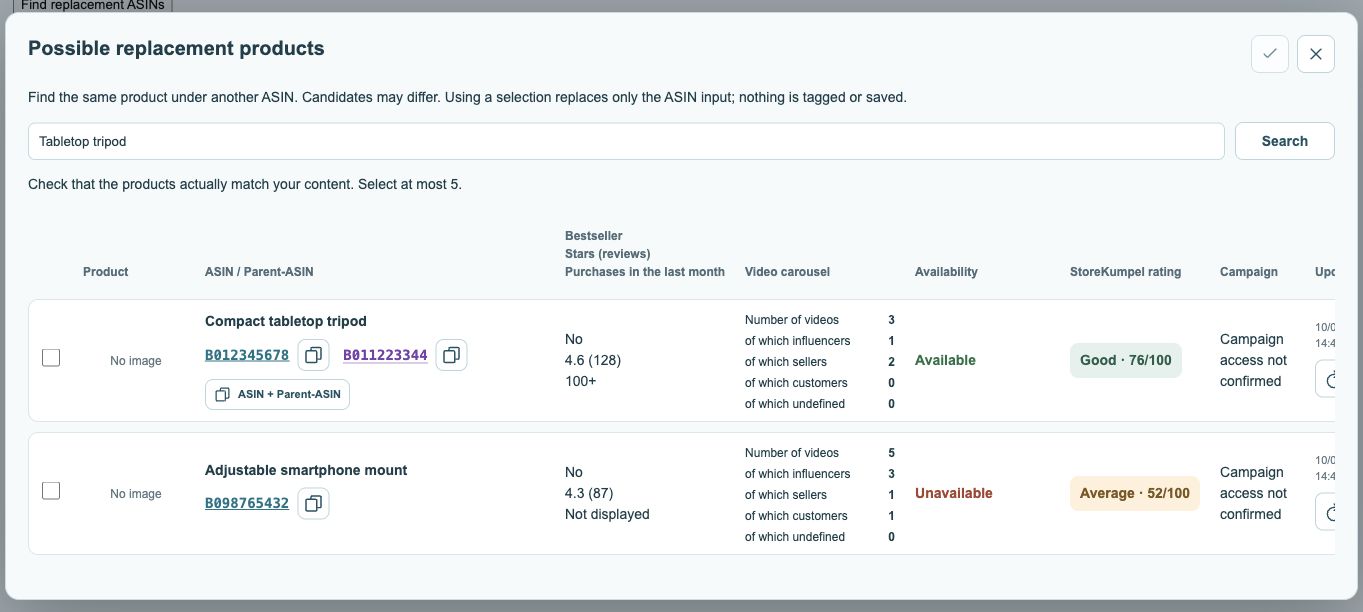 123
- Adjust search terms and search.
- Select suitable suggestions.
- Apply your selection; this does not save tags yet.
When is the post actually saved?
With Save afterwards off, Tag adds the products in the editor and you then save them yourself in Amazon. With it on, saving follows automatically. Check prepares a suggestion and replacement search supplies candidates. Neither is the same as saving the post.
What if a product does not appear?
Read the feedback and check the ASIN on its product page. Also check the ten-tag limit. Inspect the actual product list rather than saving on the assumption that an addition worked. After an uncertain save, reopen the post and check its actual state.